Contents of this article:
-
Deleting data
- Cancelling an expense claim
- Deleting an expense claim
Deleting data
⚠️ Warning!
When an expense claim is deleted, all associated expenses and receipts will be permanently lost.
In addition, in the event of an URSSAF inspection, it is advisable to avoid any break in the sequential numbering of your expense claims.
It is therefore preferable to cancel the expense claim so that it remains in your history, rather than deleting it.
Cancelling an expense claim
Access: Expense claims > Manager view
The person responsible for the expense claim can cancel it once it has been approved.
- I open the relevant expense claim
- I click on the three dots
- I click on 'Cancel the expense claim'
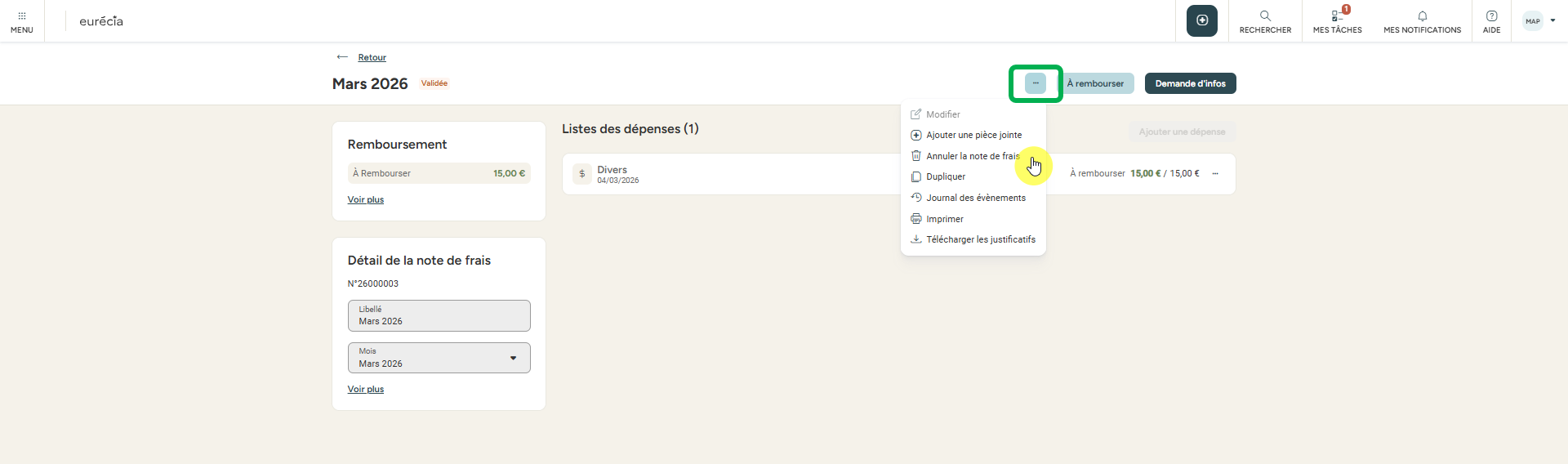
✨ Advantage: with a single click on this button, you can instantly access all cancelled expense claims.

Deleting an expense claim
Only expense claims that are 'Being entered' can be deleted by the employee and the person responsible.
Access: Expense claims > Manager view
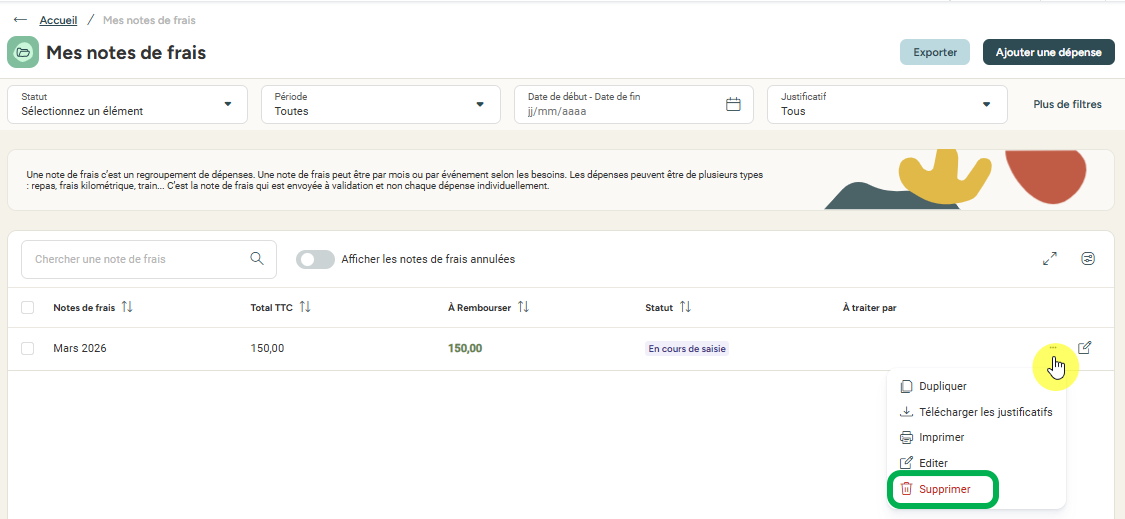
Do you want to delete an expense claim that has been Approved, Reimbursed...? You are in control of your data! Send us an email to Support including:
- your company name
- the name of the employee concerned
- the period covered by the expense claim
- the expense claim number
⚠️ Warning: We will be happy to delete it for you 😊, but this action will be irreversible!
Did you find this article useful? Let us know with a little 👍 — it always makes us happy! 😎
Keywords: delete · erase · expense claim · receipt · NDF · bin · expense · tickets · business expenses · expenses · professional · invoice · URSSAF · inspection · digitised · deletion · remove · reject · cancel · reimburse


Comments
Please sign in to leave a comment.