With Eurécia, you’ll never lose your payslips again 😊! They are stored in a personal, secure area that is accessible 24/7.

Please note:
Is this feature not available in your Eurécia space? Contact your designated administrator 😊!
This article is for:
Employee
Relevant module:

In this article:
View my payslips in the “My payslips” menu
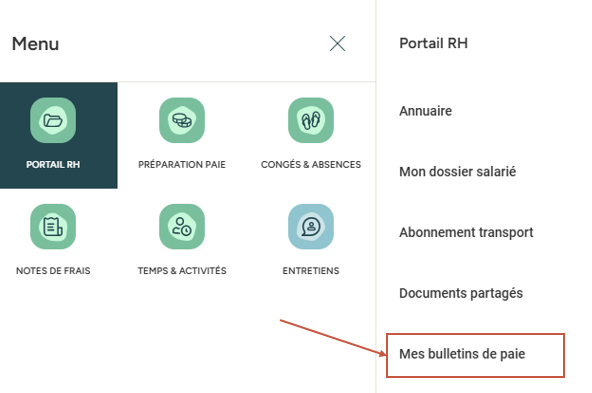
Access: HR Portal > My payslips
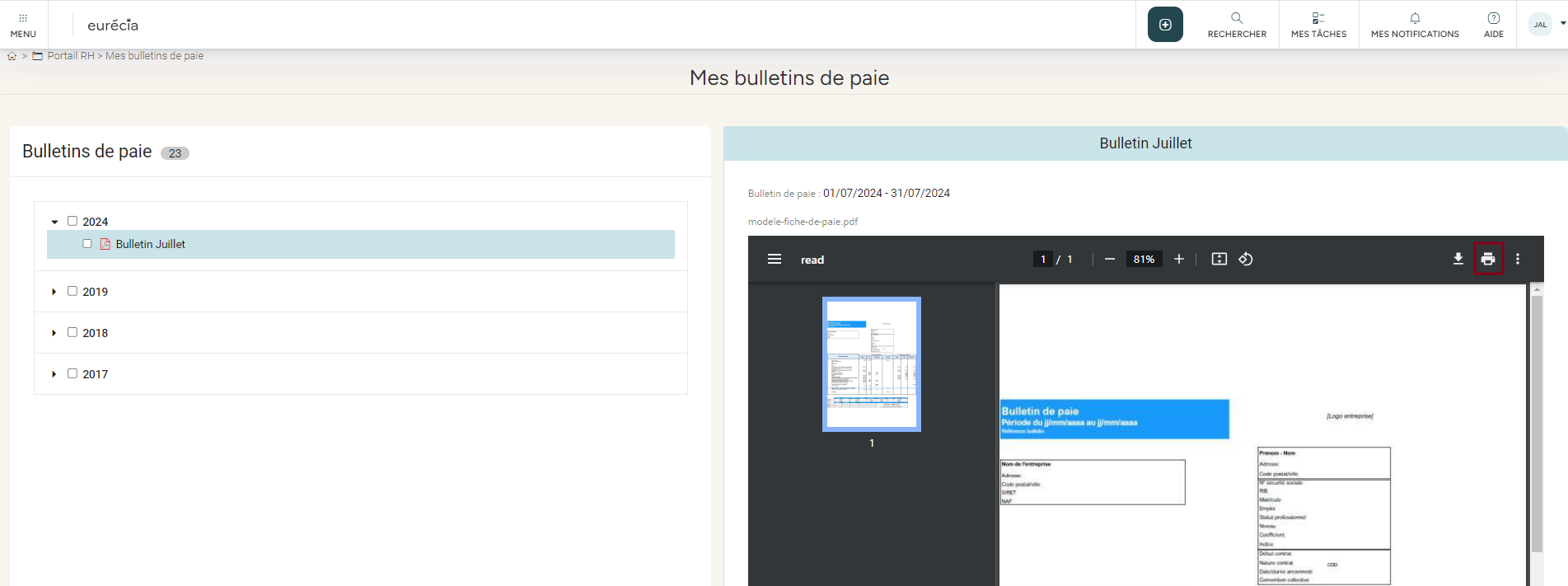
All payslips imported into Eurécia are available in this area. You can view them, enlarge them, rotate them and even print them directly.
- I click on the payslip I want to view
- It is displayed on the right-hand side
- I can then print it directly
Download my payslips
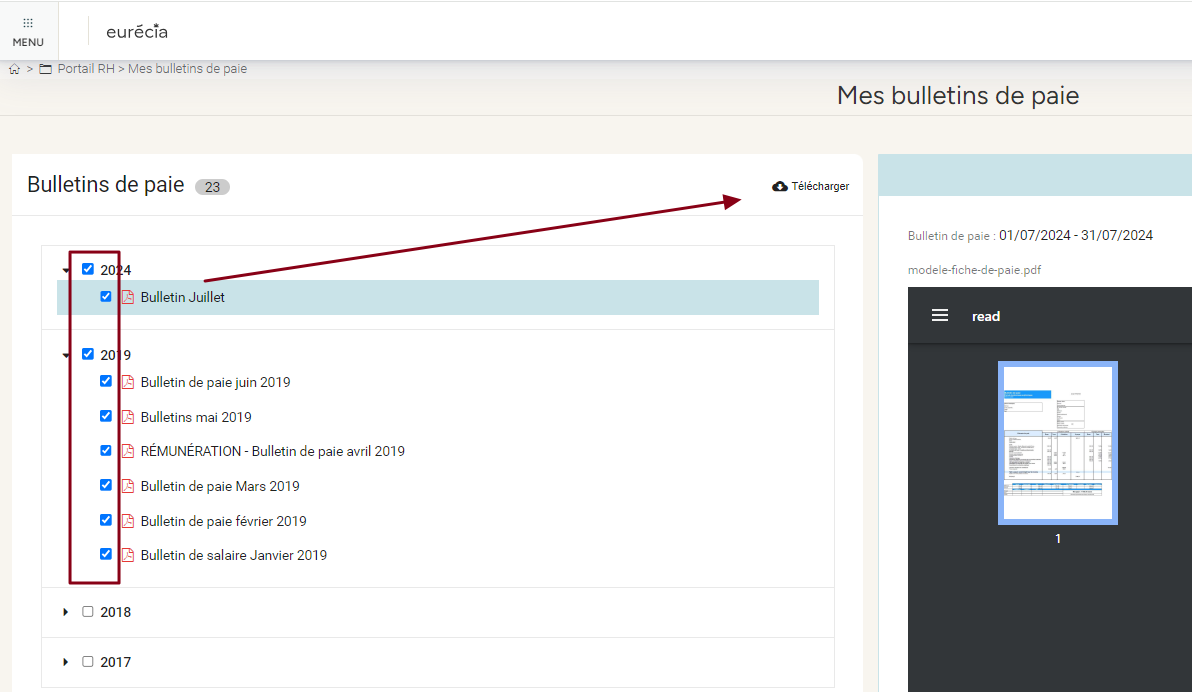
You can download one or more payslips:
- I select the payslip(s) to download
- I click on “Download”
- A compressed .zip file is downloaded. All you need to do is extract it to the folder of your choice.
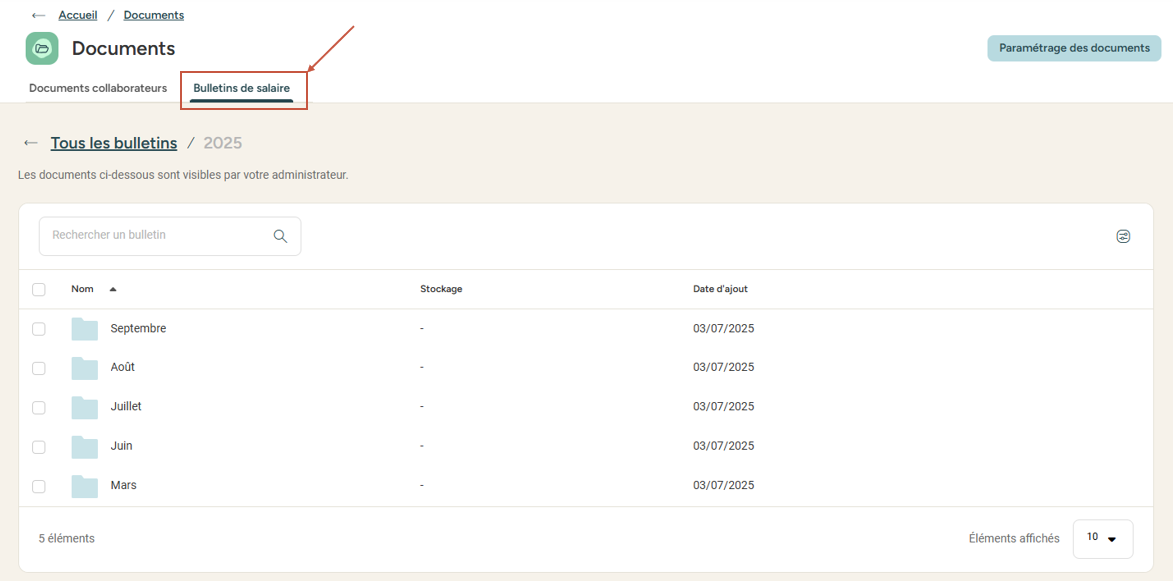
View my payslips in the Documents area
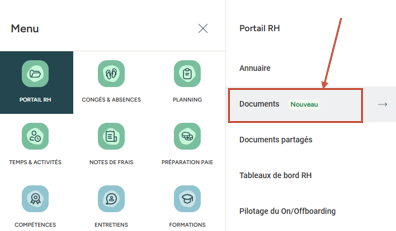
Don’t have access to the Documents area yet? 🤔
Just a little more patience—this new feature will be available on your platform very soon!
Access: HR Portal > Documents > “Payslips” tab
All payslips imported into Eurécia are available in this area. You can view them, enlarge them, rotate them and even print them directly.
Keywords: payslip · wage slip · download · view · consult · import · digitalisation · salary

Comments
Please sign in to leave a comment.